There are two types of digital lab notebooks that are relevant for this lab - your personal notebook and project-specific notebooks. Both types should be kept in git repos, and frequently pushed to a lab forge (Github at https://github.com/BonhamLab or Forgejo at https://code.bonhamlab.bio).
See Coding and version control for general advice on code repos. See below for lab-notebook specific advice.
Paper notebooks
But first, what about traditional paper-style notebooks? If your project is largely experimental, it might make sense for you to keep notes and info about experiments in a traditional lab notebook. But since so much data and analysis — even for experimental work — generates digital files, your digital lab notebook will be the source of truth.
You may keep a paper notebook for convenience, but pages should be routinely scanned (eg using the Paperless app) and committed in your git repo lab notebook.
Personal / Career Notebook
Personal / career notebooks are a collaboration between you and Kevin to stay on the same page about both your lab work and your training.
Setup
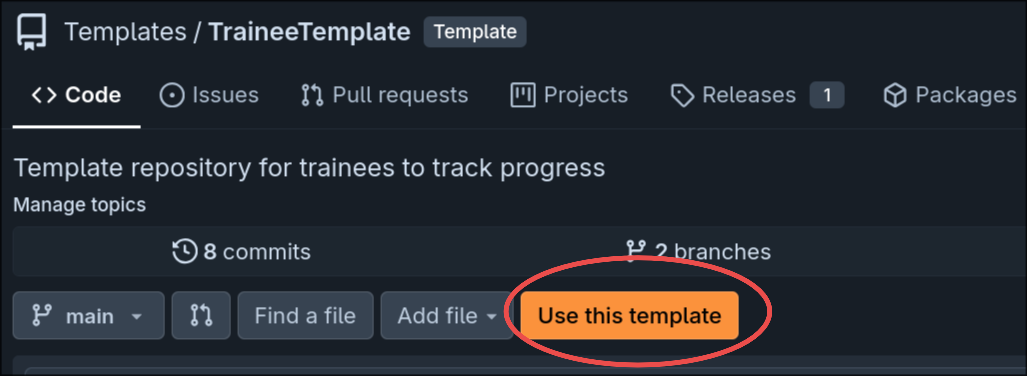
Navigate to https://code.bonhamlab.bio/Templates/template_trainee, and click “Use this template”
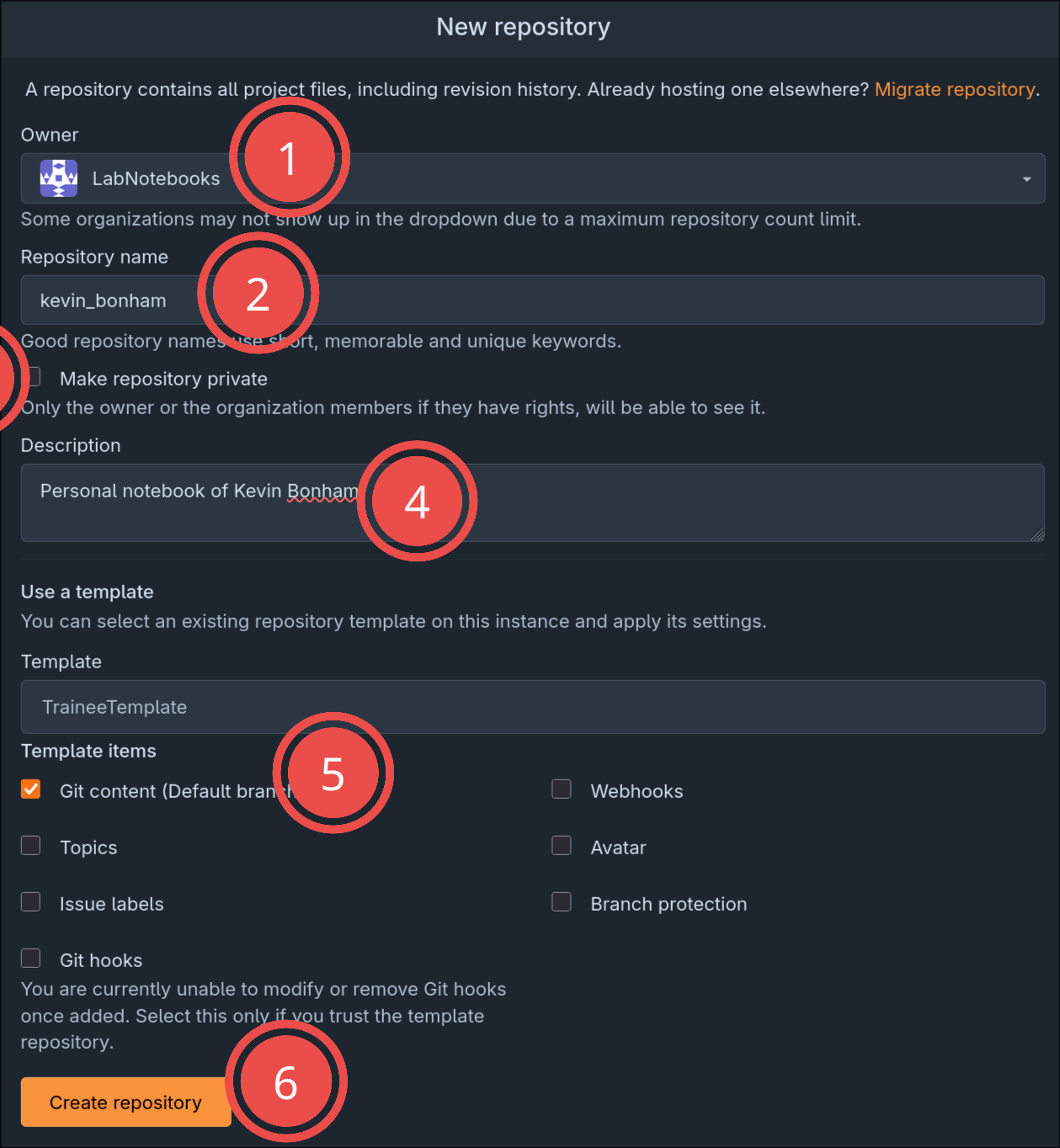
- Set the owner as LabNotebooks
- add your name
- choose whether or not to make the repo private (either way is OK)
- Add a description
- Choose to copy git content
- Create the repository
Using the notebook
The easiest way to use the notebook is with Obsidian - this will let you easily edit markdown files, and the repo will be cloned into the main lab vault as a submodule so that things like wikilinks will work.
Periodic meetings
See also Meetings and other admin
The most common use of the lab notebook will be for periodic (usually weekly) meetings. There is a meeting template in the PeriodicMeetings/ directory, which you can copy each week to help organize your results from the previous period, and flag anything that needs discussing.
To make the most of your meeting time, fill this out at least 24 hours before your meeting, and make a pull-request to your repo that contains all of your work since your last meeting.
- check out a branch (
git checkout -b week-of-xxxx) - Work as normal, committing as you go (
git add some-file.md,git commit -am "did analysis on abc") - Fill out your meeting notes before your meeting, commit and push
- On Forgejo or Github, go to your repo - there should be an option to create a pull request. You can do this at any time during the week - continued pushes will keep going to the PR
- Request a review from Kevin
Project-specific notebooks
Project-specific repos should contain code, experimental procedures, and describe (though usually not commit) the data used for the project.
Setup
Navigate to https://code.bonhamlab.bio/Templates/template_trainee, and click “Use this template”
Follow the same steps above in Setup, giving it a descriptive name.